Form Spam Blocker for Google Forms™

Stop form spam with Form Spam Blocker.

AI catches the bots, scams and gibberish. Real replies go straight through.

The Google Forms editor with a workshop RSVP form in the middle and the Form Spam Blocker sidebar docked on the right, showing 9 clean, 2 to review and 5 quarantined.

What you get

You choose how strict it is

Relaxed, balanced, or strict. Unsure replies wait for you.

Nothing is deleted unless you say so

Junk is set aside in a spreadsheet you own.

Your answers stay in your Google Drive

We keep a monthly count, not the replies.

Before and after

A response list full of spam beside the Quarantine tab of the full review window, with confidence scores and a Restore button on each row.
Spam leaves the response list and waits in Quarantine.

Room to review

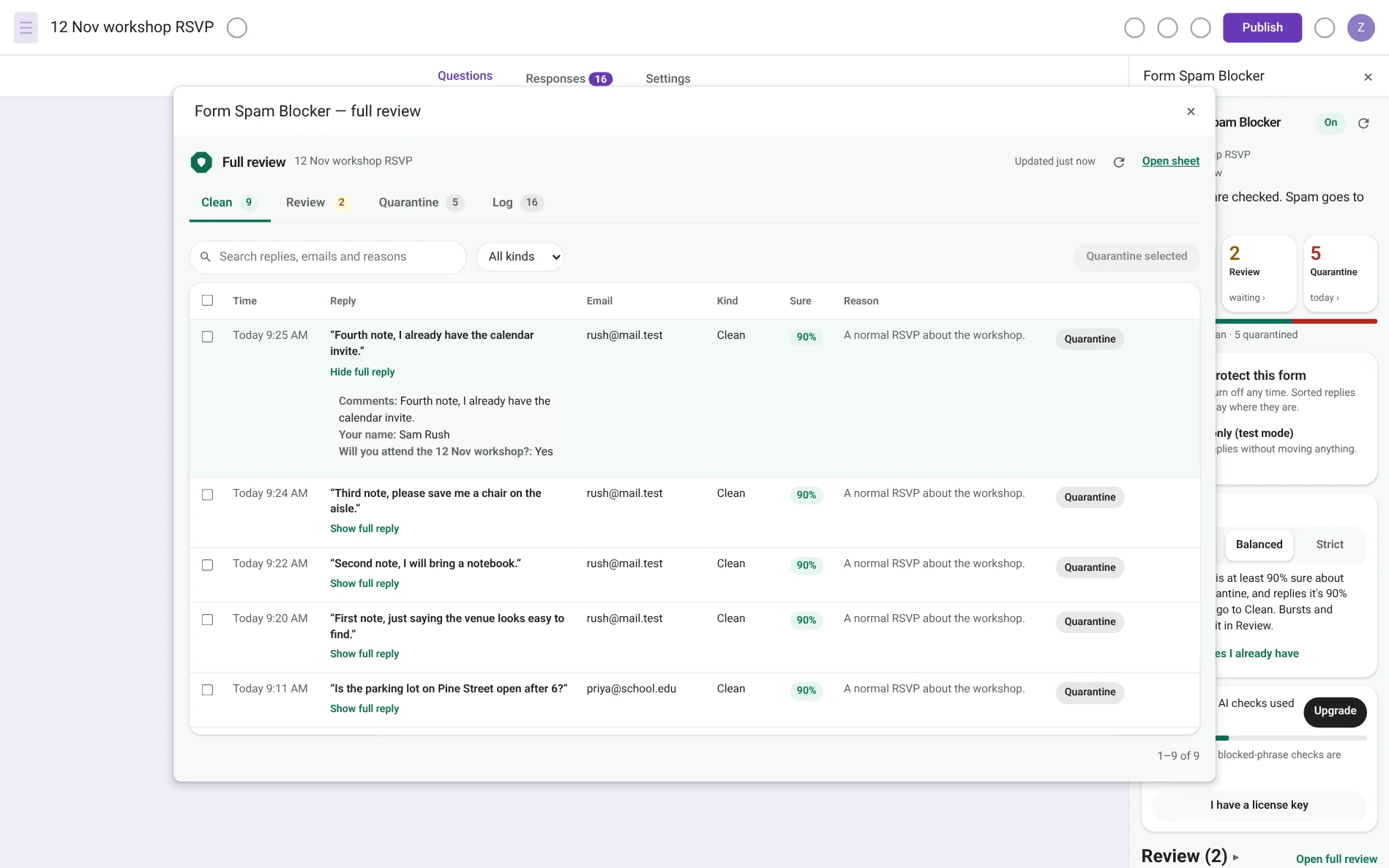
The full review window open over the form, with Clean, Review, Quarantine and Log tabs, search, and a table of replies with their reason, confidence and email.
Open full review for tabs, search and bulk actions. The sidebar stays open beside it.

How it works

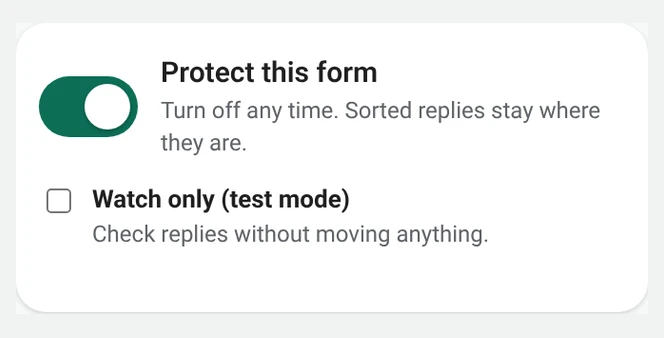
  1. The Protect this form switch turned on. 1

    Turn it on

    Open the sidebar on your form and flip the switch.
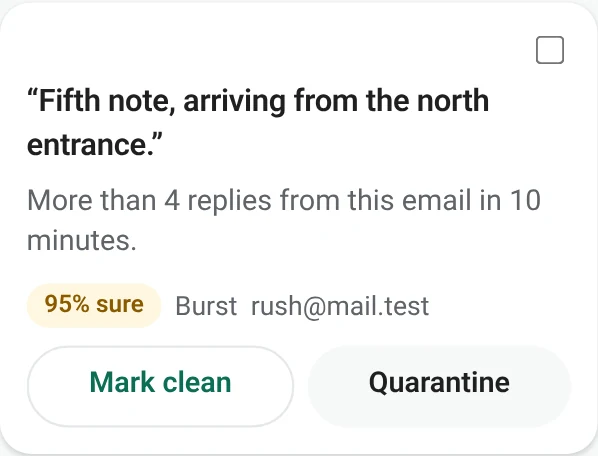
  2. A reply in the Review list marked 95% sure, with Mark clean and Quarantine buttons. 2

    Each reply is checked

    Rules run first. Only unclear replies need a closer look.
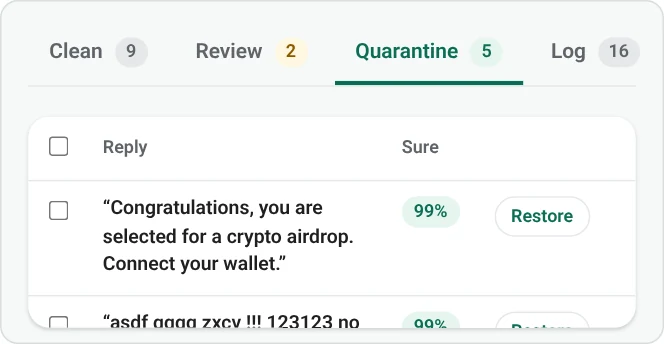
  3. The Quarantine tab of the full review window, with a Restore button on each spam row. 3

    Junk is set aside

    Sure spam goes to Quarantine. Restore a real reply with one tap.

Pricing

Free

$0


  • 50 AI checks a month
  • Unlimited rule checks
  • Quarantine and review

Business

$199/yr

about $16.58/mo

Save $29

  • 10,000 AI checks a month
  • One Workspace domain
  • Everything in Pro
Buy Business

50% off Pro yearly for schools — email support@formspamstop.com.

FAQ

Do respondents see Form Spam Blocker?

No. They fill the form as usual. The check runs after Google stores the reply.

What if a real reply is quarantined?

Open Review or Quarantine and mark it clean. It goes back to the form’s response list when it is still there.

Does it delete responses?

Only if you turn that on. The default is to copy the reply to Quarantine and leave it in the form.

Where do the answers go?

They stay in your Google account. Our servers keep a monthly count, not the answers.

Can I install it today?

The Marketplace listing is not live yet. Email support@formspamstop.com and we’ll tell you when it is.

The Marketplace listing is coming soon. support@formspamstop.com